The Complete Guide to Choosing a New Office Phone System
Choosing a phone system is one of those decisions that looks simple from the outside — until you’re three vendor calls deep and still unsure whether you need on-premises hardware or a cloud subscription, desk phones or an app, a long-term contract or month-to-month. This guide gives you the framework to make the right call for your business — without the sales pitch. Running a smaller shop? Our small business phone system guide covers the same decisions at small-office scale — and our small office phone systems goes broader than phones.
Three Questions That Drive Every Phone System Decision
Before comparing features or vendors, three questions determine which direction makes sense. Answer these and the rest gets significantly clearer.
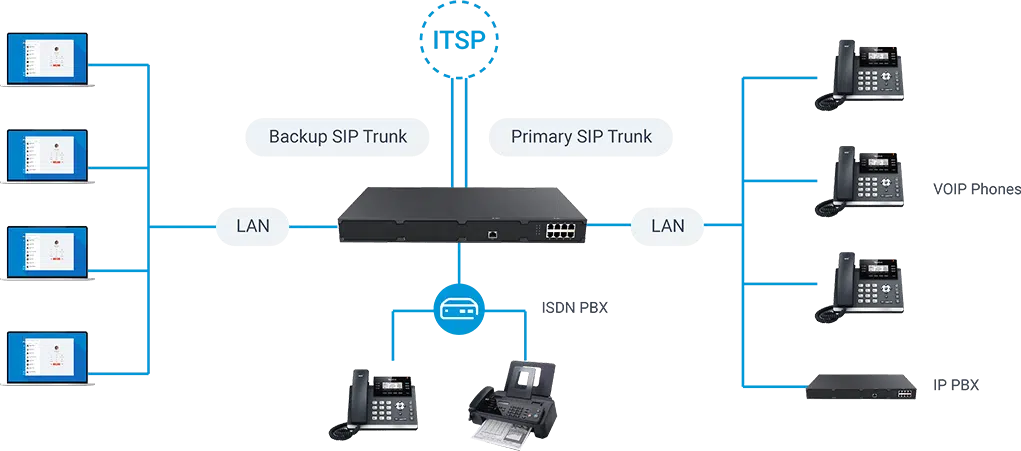
On-premises means a physical appliance at your office. Cloud-hosted means the system lives in a data center and your phones connect over the internet. This is the most fundamental split in the market — everything else flows from it.
2. How reliable is your internet connection?
Cloud-hosted systems depend entirely on internet connectivity for calls. On-premises systems with built-in failover (like the Phonewire P560) can keep calls working even when the internet goes down. If your business cannot afford dropped calls during an outage, this matters.
3. What’s your planning horizon?
A 5-person business expecting to grow to 50 has different needs than a 50-person company that will stay at 50. The right system for your current situation may not be the right system for where you’re going — and changing mid-growth is expensive.
The Five Types of Business Phone Systems in 2026
The market has consolidated around five distinct categories. Here’s what each actually is, who it’s for, and how Phonewire positions against each one.
Legacy On-Premises PBX
Avaya, Panasonic, Mitel, NEC — older proprietary hardware platforms
These systems dominated the market for decades. The hardware lives on your premises, runs proprietary software, and requires a licensed technician for most changes. Several major vendors in this category — Mitel, Avaya, Panasonic, Toshiba — have filed for bankruptcy, been acquired, or exited the business phone market entirely since 2017. End-of-life risk is real.
If you’re currently running one of these systems, the question isn’t whether to migrate — it’s when and to what. Every year you extend a legacy system is a year closer to a forced emergency replacement.
⚠ Not recommended for new installationsModern On-Premises PBX
Phonewire P560 — current-generation hardware with flat annual licensing
A modern on-premises system installs a compact hardware appliance at your office — built on open-standard SIP technology, managed through a browser, and updated via software rather than requiring hardware replacement. Full UC features included: call routing, voicemail to email, auto-attendant, mobile and desktop apps, and Microsoft 365 integration.
The Phonewire P560 is our flagship on-premises system. Hardware: $4,999 one-time. Annual license: $999/year flat for 10 users. Monthly SIP trunks: approximately $200/month for a 20-user business. Five-year total cost of ownership for a 20-user deployment varies by configuration — contact Phonewire for an exact quote — versus approximately $65,000–$83,000 for a comparable legacy deployment.
Critically: the P560 includes built-in failover — calls continue working even when your internet is down. No other category offers this without additional hardware.
✓ Best total value for most small businessesCloud-Hosted PBX
Phonewire Cloud-Hosted — no on-premises hardware, subscription-based
Cloud-hosted means the PBX lives in Phonewire’s managed infrastructure. Your phones connect over your internet connection. Same features as the on-premises P560 — same admin interface, same Linkus mobile and desktop apps, same call routing and voicemail capabilities — but no physical appliance to install or maintain.
Phonewire’s cloud-hosted plan runs at $35/user/month. For a 20-user business, that’s $700/month — or approximately $42,000 over five years. Higher monthly cost than on-premises, but lower upfront, instant scalability, and ideal for businesses with multiple locations or distributed teams.
✓ Recommended — especially for multi-location and remote teamsEnterprise UCaaS
Microsoft Teams Phone, RingCentral, Webex — large-scale cloud platforms
Enterprise UCaaS platforms combine voice, video, messaging, and collaboration in a single cloud-delivered suite. They’re purpose-built for distributed organizations — hundreds or thousands of users across multiple countries, deep Microsoft 365 integration, contact center capabilities. The challenge for small businesses is cost and complexity: base tiers run $25–$45+/user/month, with meaningful features requiring higher tiers at $35–$60+/user. For a 15-person firm, that’s $525–$900/month before any hardware costs.
These platforms are excellent for what they’re designed for. They’re not designed for small businesses that want phones, voicemail, and an auto-attendant without a six-week IT implementation project.
Best for 50+ users — expensive for small businessesDIY / Open Source
FreePBX, Asterisk — self-built, self-managed open source telephony
The open-source telephony ecosystem (Asterisk, FreePBX, PBXact) allows technically capable businesses to build a feature-complete phone system for the cost of a server and SIP trunks. The software is free. The expertise required to install, configure, secure, and maintain it is not — and there is no vendor to call when something breaks.
For businesses with a dedicated Linux sysadmin who enjoys telephony infrastructure, this can be a very cost-effective path. For the majority of small businesses without that staff resource, the hidden cost of the time investment typically exceeds the savings.
IT staff required — not for most small businessesAt a Glance: The Five Types Compared
| Type | Upfront Cost | Monthly Cost | Internet Dependency | 2026 Verdict |
|---|---|---|---|---|
| Legacy On-Premises | High | Low–Medium | Low | ⚠ Avoid (EOL risk) |
| Phonewire P560 On-Prem | $4,999 + install | ~$200/mo (SIP) | None (failover built-in) | ✓ Best value |
| Phonewire Cloud-Hosted | Low (install only) | $35/user/mo | High | ✓ Recommended |
| Enterprise UCaaS | Low | $25–$60+/user/mo | High | Enterprises only |
| DIY / Open Source | Low (hardware) | Very low | Low | IT staff required |
Which System Is Right for Your Business Size?
Business size is the fastest proxy for the right system type. Here’s how the decision typically breaks down.
Small Office
1–15 Phones- Simplicity matters more than advanced features
- One IT decision-maker (often the owner)
- Support needs to be fast and accessible
- Budget sensitivity is high
- Growth may require scalability
Growing Business
15–75 Phones- Multiple locations becoming common
- Need for consistent call routing rules
- Remote/hybrid staff increasingly typical
- Admin access important for office manager
- Integration with CRM becoming valuable
Established Enterprise
75–200+ Phones- IT team can manage complexity
- Compliance and call recording required
- Integration with enterprise systems
- Multiple sites, possibly international
- Contact center or call queue needs
Features: What to Require vs. Nice to Have
Not every feature list item is equal. These are the capabilities every business should require from any system they evaluate — and the ones that are genuinely valuable but not universal requirements.
Must Have — Require From Every Vendor
- Auto-attendant / IVR (virtual receptionist)
- Voicemail to email delivery
- Extension-to-extension internal calling
- Call transfer and hold
- Mobile and desktop app (softphone)
- Call routing rules (business hours / after-hours)
- U.S.-based support with defined response time
- Number portability (your numbers stay yours)
- E911 compliance (Kari’s Law)
- No long-term contract requirement
Nice to Have — Valuable for the Right Business
- Call recording
- Call queue / ACD (for high call volume)
- CRM integration (Salesforce, HubSpot, etc.)
- Video conferencing built in
- Microsoft 365 / Teams integration
- SMS / business texting
- Voicemail transcription
- Analytics and call reporting
- Paging and intercom
- Busy lamp field / presence indicators
What Buying a Phone System From Phonewire Looks Like
Most phone system purchases are overcomplicated. Here’s the actual process from initial call to day-one operation.
Free consultation — 30 minutes
We ask about your current setup, your team size, your internet reliability, and what’s driving the need for change. You ask us anything. We recommend a specific system and explain why — not a range of options with upsells attached. Schedule yours here.
Honest quote — all-in, no surprises
Your quote includes hardware, installation, configuration, and first-year licensing. No “bait and switch” — we identify everything upfront. A CCNA-certified engineer reviews your network before installation to confirm the infrastructure requirements are met.
Professional on-site installation
Phonewire field installs all hardware at your location — phones, router, and all related equipment. We don’t “ship and pray.” A technician is physically present for your installation. Our PM handles all portal setup and programming — you don’t touch a configuration screen until the system is already working. How installation works →
Staff training — everyone, day one
We conduct end-user welcome training for your entire staff — voicemail setup, phone operation, and mobile app walkthrough. Your administrator receives separate portal training. We also provide written documentation specific to your system. Training details →
Ongoing support — U.S.-based, fast, free for day-to-day changes
After installation, Phonewire’s U.S.-based helpdesk answers in under one minute. Day-to-day changes — new extensions, updated greetings, adjusted routing — are handled at no additional charge. There’s no question about who to call when something needs attention. Support details →
Frequently Asked Questions
How long does a phone system installation take?
For most small and medium businesses, Phonewire completes installation in a single day. Pre-installation includes a network assessment by a CCNA-certified engineer. Post-installation includes staff training the same day. Most businesses are fully operational by end of day one.
Can I keep my existing phone numbers?
Yes. Your existing business numbers can be ported to Phonewire’s system. The porting process typically takes 2–4 weeks depending on your current carrier. During the transition, call forwarding from your old numbers keeps calls from dropping.
Do I need to replace my existing desk phones?
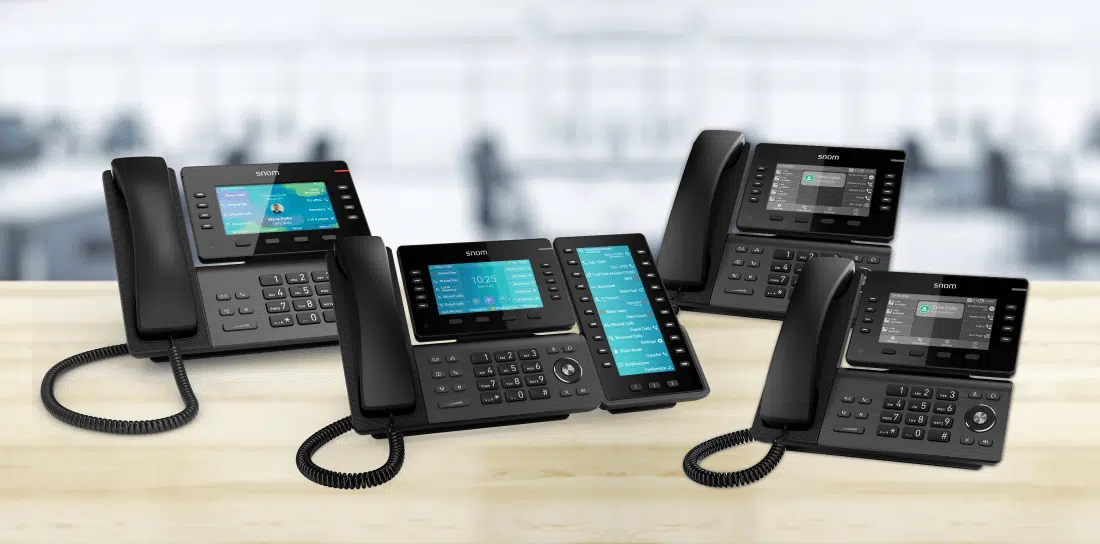
Not necessarily. Phonewire supports SIP-compatible desk phones from Snom, Yealink, and Poly. If your current phones are SIP-compatible, they may be adoptable onto the new system. Phonewire evaluates existing hardware during the initial consultation. See the full phone lineup here.
What happens if my internet goes down?
On the Phonewire P560 on-premises system, calls continue working via built-in failover — no additional hardware required. For cloud-hosted customers, Phonewire recommends a cellular backup internet connection (4G LTE) that activates automatically in under one second if your primary connection fails. How our failover works →
Is there a contract?
Cloud-hosted plans are month-to-month with no long-term contract. The on-premises P560 involves a hardware purchase (one-time) and an annual license renewal ($999/year, flat regardless of user count up to 10). No multi-year commitments are required.
What does it cost to add users later?
On the P560 on-premises system, adding users does not increase the annual license cost — it’s flat up to 200 users. You pay for additional desk phones and SIP trunk capacity as needed. On the cloud-hosted plan, adding users costs $35/user/month per additional user.
Can remote or mobile employees use the system?
Yes. The Linkus UC client is available for iOS, Android, Mac, and Windows — turning any device into a full business extension with your business number. Remote employees get the same call routing, voicemail, and directory access as in-office staff.
Ready to Choose the Right System for Your Business?
Phonewire installs on-premises and cloud-hosted phone systems for small and medium businesses nationwide. Schedule a free 30-minute consultation and we’ll give you a straight recommendation — with pricing — for your specific situation.
📞 (800) 857-1517 — answered in under 1 minute