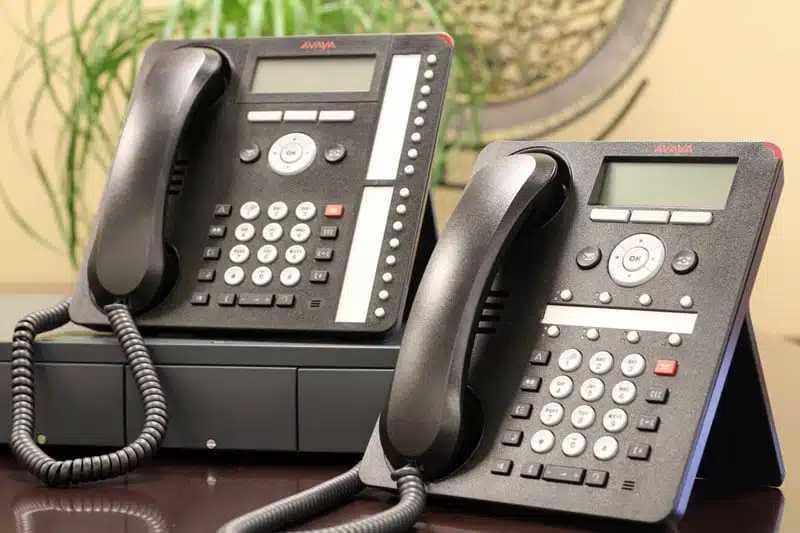
Avaya filed for bankruptcy in 2023 and has shifted its focus away from small businesses
Avaya IP Office is still commercially available and supported on current releases (R12.0). However, Avaya filed Chapter 11 bankruptcy in February 2023, emerged in May 2023, and has since announced a strategic pivot toward large enterprises (200+ seats). As of June 30, 2025, Avaya discontinued support for contact centers with fewer than 200 seats. For small and medium-sized businesses currently running Avaya IP Office, the question isn’t whether to plan a migration — it’s when and to what.
Moving Away from Avaya IP Office? Here’s What Phonewire Recommends.
Avaya IP Office served hundreds of thousands of small businesses for decades — reliable call handling, voicemail, auto-attendant, and a wide range of expansion options. But the landscape has changed. Between two bankruptcy filings in six years and an explicit strategic shift away from the SMB market, the owners and IT managers still running an IP500v2 are asking the same question: who is actually committed to a system this size — twenty, forty, sixty extensions — now that Avaya isn’t?
Phonewire has been installing and supporting business phone systems since 1998. We’ve helped many businesses migrate off Avaya IP Office — keeping their numbers, preserving the features they valued, and delivering a managed system with a single point of accountability for support and maintenance.
What Usually Brings People to This Page
Almost nobody replaces a working Avaya IP Office system on a whim. Three things bring people here: the support renewal quote arrived and the dealer could not say how long IP Office will be maintained; a control unit or expansion module failed; or the carrier that feeds the system is retiring the lines behind it. If one of those is you, the answer is the same: keep the phones and wiring that still work, replace what is failing, and do it on a planned date instead of an emergency one.
How many phones are on your Avaya IP Office system? Tell us the count and the building, and we come back with an itemized quote, not a range. Request a quote or call (800) 857-1517 — a real person answers.
Size is the part most migration quotes get wrong. An IP500v2 carrying sixty extensions across two buildings is not a larger version of a five-phone office. It has ring groups people depend on, a hunt-group structure nobody has documented since the last technician left, and a call flow that has to survive the cutover intact. We scope from concurrent-call capacity and extension count rather than seat licences, plan for your peak rather than your average, and support multi-site deployments as one system rather than several. A Phonewire technician is in the building for the cutover, and your existing system stays live until the replacement is proven.
Why Businesses Are Moving Off Avaya IP Office
What Avaya IP Office Users Valued — And What Replaces It
What Phonewire Recommends for Avaya IP Office Migrations
Phonewire On-Premises
For businesses that chose Avaya IP Office specifically because they wanted hardware on-premises, full system control, and reliable call handling without internet dependency — the Phonewire hybrid is the most direct path forward.
- Modern on-premises hardware — open-standard SIP, browser-managed
- One-time hardware, then a flat annual licence
- SIP trunks sized to your actual call volume
- Built-in cellular failover — calls work if internet fails
- Full on-site installation, staff training, same-day configuration
- U.S.-based support answered in under 1 minute — day-to-day changes at no charge
- Compatible with Snom, Yealink, Poly, and Panasonic desk phones
Phonewire Cloud-Hosted
For businesses with multiple locations, remote or hybrid staff, or those looking to eliminate on-premises hardware overhead entirely — cloud-hosted delivers the same feature set through any internet connection.
- Predictable per-user monthly pricing — no hardware purchase
- Instant scalability across any number of locations
- Same Linkus UC mobile and desktop apps as on-premises
- Voicemail to email, auto-attendant, call routing included
- Microsoft 365 and Outlook integration
- Same U.S.-based support and day-to-day change service
Systems scale from a handful of extensions to enterprise deployments — see how our pricing works, or tell us your extension count and we’ll scope it properly.
What a Migration from Avaya IP Office to Phonewire Looks Like
Frequently Asked Questions
Is Avaya IP Office actually discontinued?
Not entirely. Avaya IP Office R12.0 is the current release and remains supported as of early 2026. However, older releases (R11.1 and earlier) are losing software patch and security support. More significantly, Avaya announced in 2025 that it is discontinuing support for contact centers with fewer than 200 seats and is explicitly focusing its investment on large enterprise customers and its cloud platform. For small businesses, the practical trajectory is clear even if the formal EOL date hasn’t been announced.
What release of Avaya IP Office am I running, and does it matter?
Yes — significantly. If you’re running R12.0, you’re on the current supported release and have more time. If you’re running R11.1, R11.0, R10.x, or earlier, you’re already in a reduced-support window with limited or no software patch availability. Your Avaya system’s admin portal shows the current release version, or your reseller can confirm it. Phonewire can also help you identify this during a free consultation.
Can I keep my existing phone numbers when I migrate?
Yes. Your business phone numbers port to the Phonewire system regardless of where they’re currently hosted. Porting typically takes 2–4 weeks depending on your current carrier. During the transition, call forwarding from your Avaya system keeps calls connected. Your numbers are yours — no Avaya involvement is required to port them.
Can I reuse my existing Avaya IP phones?
Possibly. Avaya’s proprietary H.323 phones (1600, 9600 series) are generally not compatible with non-Avaya systems. SIP-compatible Avaya phones may be adoptable depending on the model. Phonewire evaluates existing handsets during the consultation — if reuse is possible and cost-effective, we’ll tell you. If replacement is required, Phonewire recommends Snom, Yealink, Poly, or Panasonic phones matched to your deployment environment.
How does the 5-year cost compare to staying on Avaya?
The Phonewire 5-year TCO analysis shows that on-premises hybrid system costs for a 20-user business vary by configuration — contact Phonewire for an exact quote — compared to $65,000–$83,000 for a comparable legacy PBX deployment when you factor in licensing, maintenance contracts, and support costs. Avaya IP Office’s per-user, per-feature licensing model makes the gap even wider as user count grows.
What happens to my existing Avaya IP Office system after migration?
Once number porting is complete and your new Phonewire system is live, your Avaya IP Office hardware can be decommissioned. Phonewire can advise on proper decommission procedures. The Avaya hardware itself has some resale value in the secondary market if it’s a recent-generation unit in good condition.
What Our Clients Say
Phonewire is a big asset for any company looking for professional advice and magnificent hands-on experts to solve any of your systems issues. Matt is efficient, reliable, and very detail-oriented. I am extremely satisfied with his cooperation and dedication.

We chose Phonewire to revamp our phone system. The project was installed on time and to budget. Matt went above and beyond, and personally provided training. I would highly recommend Phonewire.

Get a Free Avaya IP Office Migration Assessment
Tell us what you’re currently running — release version, hardware model, number of users — and we’ll give you a straight recommendation on timing, what a replacement system would cost, and what the migration process looks like for your specific setup. No obligation.
One thing that makes the quote accurate: put the number of phones on your Avaya IP Office system in the message box below.
📞 Questions about migrating from Avaya? We answer in under 1 minute.
(800) 857-1517